Accounting Firm Tech Stacks: What You Need in 2026
Accounting firms know that thoughtful technology choices free teams to focus on the advisory, tax, and bookkeeping work that truly supports clients. When fewer hours are tied up in administrative tasks, we gain more time for the services that create lasting value.
A strong accounting firm tech stack has become a foundation for sustainable growth, smoother client experiences, and reliable margins. Firms that invest intentionally in their systems will be better positioned to handle increasing regulatory pressure, higher client expectations, and talent shortages across the profession.
This guide outlines what an accounting firm needs in a tech stack for 2026, why it matters, and how to choose tools with confidence. It also addresses how Firm360 fits into a structured, connected accounting tech stack built for long-term stability.
What Is an Accounting Firm Tech Stack?
An accounting firm tech stack is the collection of software a firm uses to serve clients, manage operations, and support regulatory and financial workflows. A well-built tech stack for an accounting firm typically includes systems for tax, accounting, payroll, document management, workflow, client service, specialty services when applicable, and firmwide administration.
The term is sometimes used interchangeably with accounting tech stack or CPA firm tech stack, but the meaning is the same: tools that help teams work accurately, securely, and efficiently.
A healthy tech stack improves operational stability, reduces manual work that slows teams during peak periods, and brings consistency across departments for larger firms.
Why Your Tech Stack Matters in 2026
Several continuing industry demands make thoughtful technology planning essential in 2026:
1. Increased client expectations.
Clients increasingly expect fast turnaround times and easy access to status reports for their work.
2. Talent shortages and capacity challenges.
The accounting profession continues to face workforce shortages, pushing firms to rely more heavily on automation and standardized workflows.
3. Higher compliance demands.
Standards for data security, privacy, and reporting require more reliable systems and stronger internal controls.
4. The shift toward advisory services.
Firms that expand client accounting and advisory services (CAAS) need financial tools that support more strategic insights.
A disciplined approach to your accounting firm tech stack helps ensure that the tools you choose reduce administrative burden rather than add to it.
Components of an Accounting Firm Tech Stack
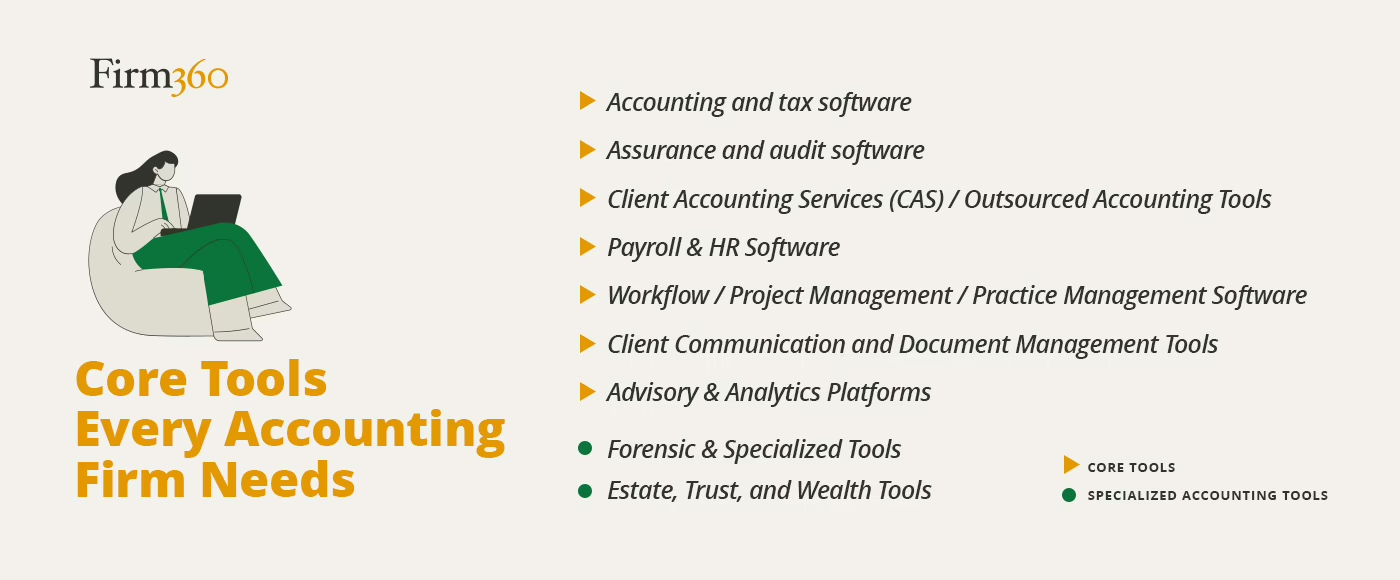
An effective accounting firm tech stack comes from choosing systems that support the day-to-day realities of compliance deadlines, client expectations, and the operational rhythm of a firm. What’s right for your firm? That depends on a variety of factors such as firm size, work model, service mix, and more. Before diving into more detail, here’s a quick summary of the categories accounting and CPA firms should consider when planning your tech stack for 2026.
- Accounting and tax software
- Assurance and audit software
- Client Accounting Services (CAS) / Outsourced Accounting Tools
- Advisory & Analytics Platforms
- Payroll & HR Software
- Workflow / Project Management / Practice Management Software
- Client Communication and Document Management Tools
- Forensic & Specialized Tools
- Estate, Trust, and Wealth Tools
Core Tools Every Accounting Firm Needs
A tech stack performs best when each component plays a distinct role in supporting your firm’s goals. While every accounting firm has its own mix of services, most rely on a consistent set of tools to keep work moving, maintain accuracy, and protect margins during peak periods. Understanding what each category contributes makes it easier to choose technology with purpose instead of reacting to short-term gaps or vendor trends.
Accounting and Tax Software
Accounting and tax systems sit at the core of the accounting tech stack, and the strength of these tools often sets the tone for how smoothly your practice runs.
Accounting platforms today help reduce manual entry, create cleaner month-end closes, and give clients a stable financial foundation to build on. Historically, desktop software was the gold standard for capabilities and value, but software providers have substantially phased out their desktop options in favor of cloud-based versions.
QuickBooks — probably the best-known accounting platform in the U.S. — is in the midst of a phased discontinuation of all its desktop products, with the exception of QuickBooks Enterprise — which for now is still being sold and supported. However, many small and mid-size clients rely on QuickBooks Online already, which also allows accountant access for small businesses that manage their own books. Sage Intacct or NetSuite are two other commonly used and well-regarded options — each also designed to support general ledger work, accounts payable and receivable, bank feeds, reconciliations, and financial statement preparation.
Tax preparation software such as UltraTax CS, Lacerte, ProSeries Tax, CCH Axcess Tax, or Drake Tax is a fundamental part of the tech stack for tax practices — supporting individual, business, and fiduciary filings and automating e-filing. While some of these are focused strictly on return preparation, Drake Tax also incorporates tax planning features, and tax research is offered as a separate module by larger providers such as CCH. The Journal of Accountancy publishes an excellent annual survey that reports user ratings for the dominant tax preparation options in the market.
Assurance and Audit Software
Audit teams rely on structured processes, and the right software brings consistency to planning, fieldwork, testing, and documentation. Caseware, CCH ProSystem fx Engagement, and Workiva are well-established examples of audit platforms that support risk assessment, sampling, workpaper management, and standardized checklists. These tools have been part of audit workflows for years and are supported by detailed guidance and training materials. Inflo is a newer option that’s generating buzz, but reviews are mixed, with some users indicating the solution isn’t a great fit yet for a number of industries.
Client Accounting Services and Outsourced Accounting Tools
Practices that offer client accounting services rely on timely, efficient workflows. The tools in this category help firms deliver the accuracy and speed clients expect. Expense management platforms like Bill (formerly Divvy) and Expensify automate receipt capture, coding, and approvals, reducing manual work and keeping month-end close on track. Tools such as Dext further streamline data extraction by pulling key details directly from receipts and invoices. Many practitioners use QuickBooks Online as the central hub, integrating these specialized apps to create a more automated, consistent CAS ecosystem.
Advisory and Analytics Platforms
Clients today are seeking trusted advisors who can help them navigate complex financial decisions and drive business growth. That’s where Client Accounting & Advisory Services (CAAS) comes in, offering a powerful way to meet these evolving needs while positioning your firm for sustainable growth.
As more firms expand into client advisory services, advisory and analytics tools help provide the deeper financial understanding clients need to manage cash flow, and make hiring or capital decisions. Platforms like Jirav and Fathom are robust FP&A (financial planning & analysis) solutions that offer forecasting, KPI dashboards, scenario modeling, cash flow analysis, and benchmarking.
Payroll and HR Software
Payroll and HR tasks carry strict compliance requirements, so firms need dependable systems that reduce risk and protect client data. Platforms like Gusto, ADP, Paychex, and Rippling offer payroll processing, tax withholdings, direct deposit, PTO tracking, onboarding workflows, and HR documentation support.
These systems are particularly helpful for reducing administrative work during peak seasons by providing automated filings and integrated employee records. For firms offering payroll as part of client accounting services, choosing a trusted platform makes the entire process more predictable for both staff and clients.
Client Communication and Document Management Tools
Secure document management plays a crucial role in multiple aspects of firm operations — minimizing risk, improving collaboration, increasing productivity, and boosting client satisfaction. Dedicated solutions such as SmartVault and GoFileRoom are commonly used tools that offer structured storage, retention rules, searchable OCR, and encrypted file-sharing. FileCabinet CS has also been a popular option for years. However, many firms are now navigating the end-of-life timeline for FileCabinet CS — set to lose support after December 31, 2027.
Some of these solutions incorporate branded client portals and client communication tools — SmartVault in particular stands out for its offering. Increasingly, however, firms are looking for a long-term solution that integrates better with workflows and reduces the risk of fragmented processes. Our recommendation is a comprehensive practice management platform like Firm360 that integrates document management with workflow, a client portal, time tracking, and billing — creating a single source of truth for your entire firm.
Workflow, Project Management, and Practice Management Tools
Every firm reaches a point where spreadsheets and shared inboxes can no longer support the volume of client deadlines. That’s where practice management software for accounting firms comes in. An operational system like Firm360 provides a structured place to manage projects, track tasks and time, assign work, measure capacity, coordinate billing, collect documents securely, and organize communication.
These tools form the operational backbone of a strong CPA firm tech stack, especially when tax season hits. With centralized information, staff gain clarity, partners gain visibility, and the firm can focus on meeting deadlines instead of juggling task lists.
If you’re evaluating options, this guide to choosing the right platform breaks down what to look for in a modern solution.
Specialized Accounting Tools
Forensic Software
Some firms work in litigation support, fraud investigation, or data-intensive engagements that require more advanced software. Tools like Diligent ACL Analytics and Caseware IDEA provide data extraction, pattern detection, sampling, and forensic review capabilities. These systems appear in forensic accounting training programs because they help teams examine large datasets with accuracy and consistency.
Estate, Trust, and Wealth Management Tools
Estate and fiduciary accounting comes with unique reporting obligations. Niche accounting systems like ONESOURCE Trust Tax and Gillett Estate Management support estate tax filings, asset tracking, beneficiary reporting, and fiduciary accounting rules. These tools help firms serve clients who require careful recordkeeping and consistent reporting standards, especially when multiple parties or complex estates are involved.
Integration and Automation
Integration and automation play a meaningful role in reducing manual steps and making more time for higher-value work. When systems share information efficiently, teams spend less time moving files and more time supporting clients. Even partial automation can create steadier workflows, especially during high-volume seasons. For firms looking to standardize and scale these processes, building a clear tax workflow automation process map is a critical first step.
Most accounting and tax applications still limit direct integrations with external systems, largely because of the sensitive nature of the data files, strict formatting requirements, and the way many vendors maintain closed environments. As a result, true two-way syncing is uncommon. Firms often rely on exporting returns, organizers, or PDFs from the tax software and then making those files available inside their practice-management system.
Some practice-management platforms help streamline this process through file-ingestion features. Instead of relying on manual uploads, these systems use automation to capture documents from watched folders, client portals, emails, or simple drag-and-drop uploads. While this approach doesn’t create a direct sync with the tax software, it reduces the steps required to get tax documents into the correct client record, saving time during the busiest parts of the year.
For example, Firm360 integrates with key accounting, tax, and productivity tools your firm likely already uses, including QuickBooks Online, Adobe, Microsoft Office, Stripe, Zapier, and more. These integrations help you connect workflows across platforms, reduce double entry, and maintain a single source of truth across your practice.
How To Build the Right Tech Stack for Your Firm
A strong tech stack for accounting firm operations is built by choosing the right tools with a measured, purposeful approach.
When evaluating tools, consider the following:
1. Compliance
Make sure each system aligns with required security standards such as SOC 2 or ISO 27001 if applicable. Vendors should provide documentation or attestations that support audit readiness.
2. Security
Your systems must protect client data, manage access controls, and support encryption at rest and in transit. Confirm whether vendors offer MFA (multi-factor authentication), audit logs, and secure data centers.
3. Scalability
Choose systems that can grow with your firm. Adding new clients, new service lines, or new staff should not force you to rebuild your tech stack.
4. Support
Your team needs reliable vendor support with clear documentation, training resources, and responsive help channels.
Common Mistakes Firms Make When Choosing Tools
Many firms run into avoidable problems when assembling their systems. The most common missteps include:
1. Using too many disconnected tools
A stack with overlapping features leads to duplicate entry and scattered information, especially during tax season.
2. Prioritizing features over workflows
The best tool is not always the one with the longest list of capabilities. What matters is whether it fits the way your team works.
3. Underestimating training needs
New systems require change management. Without training, even the best software slows a firm down.
4. Not considering long-term ownership costs
Licensing fees, add-ons, and onboarding costs should be reviewed early in the selection process.
5. Skipping workflow mapping
A clear picture of your processes helps prevent mismatches between your needs and what the software supports.
Without a clear process, firms often struggle with consistency — which is why many adopt a tax workflow automation process map to standardize operations. As firms choose the mix of tools that support their services, it’s important to have a dependable system to coordinate the work behind those tools — the projects, deadlines, communication, and internal processes that keep everything moving. That operational layer is where practice management technology has an outsized impact, shaping how consistently and confidently a firm can deliver for its clients.
How Firm360 Fits Into Your Accounting Tech Stack
Firm360 brings discipline, clarity, and predictability to firm operations with a single platform designed to manage your internal workflows. Our system was built with an understanding of the daily demands faced by accounting industry professionals. That perspective guides its design and helps firms replace scattered tools with a consistent operational foundation.
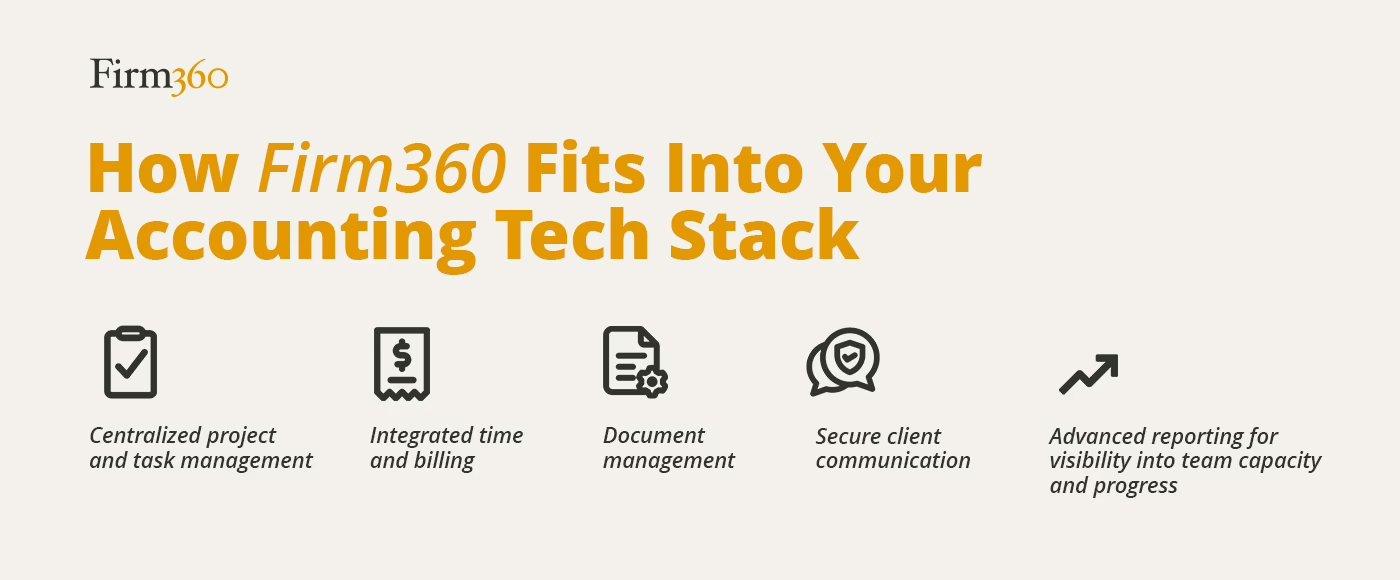
Firm360 supports:
- Centralized project and task management
- Integrated time and billing
- Document management
- Secure client communication
- Advanced reporting for visibility into team capacity and progress
This creates a reliable hub that supports tax, accounting, and advisory workflows across your entire accounting firm tech stack. When your operational tools work together, your team gains the confidence to handle peak workloads, stay ahead of deadlines, and deliver a better client experience.
Conclusion
Building a strong accounting firm tech stack is ultimately about creating an environment where your team can work with clarity and your clients feel supported at every stage of their relationship with you. When your systems are intentional, connected, and aligned with your firm’s goals, day-to-day operations become more predictable and the quality of your work becomes easier to sustain. With the right foundation, your team can do its best work and your clients gain the steady, reliable experience they count on.
That’s exactly what firms achieve with modern practice management software designed specifically for accounting workflows.
Ready to build a tech stack that actually streamlines your firm, not complicates it?
See how Firm360 centralizes projects, documents, communication, and billing into one powerful system.
Book your personalized demo today and experience a more efficient, more predictable way to run your firm.