Busy season hits and the cracks show up fast. A deadline slips because a file sat in someone’s inbox. A client calls asking about a return the team thought was already delivered. A managing partner asks about realization and nobody has a clear answer. If any of that sounds familiar, you’re not alone. It’s not a reflection of how hard your team works — you’ve simply outgrown the systems you started with.
The right practice management software for small accounting firms can change that picture. But “right” is doing a lot of work in that sentence. A firm of three has very different priorities and a very different day-to-day reality than a firm of 15, and generic buying advice rarely accounts for where you actually are right now. This guide offers something more useful: stage-specific priorities so you can match software capabilities to your firm’s real needs, not a wishlist built for someone else.
For context: practice management software for small accounting firms provides an integrated platform that consolidates the essential tools firms rely on to operate efficiently — client relationship management, workflow and task tracking, document handling, time capture, billing, team communication, and reporting — within one central system with automation capabilities.
For an expert perspective on when accounting firms outgrow their existing systems, we turned to Brandon Gray, CPA, co-founder of Firm360 and a longtime small-firm practitioner.

Why Firm Size Changes What You Should Prioritize
A two-person firm managing 50 clients has a fundamentally different operational reality than a 14-person firm running hundreds of recurring engagements across multiple service lines. Complexity doesn’t scale linearly — it compounds. Every additional staff member, client, and service type introduces more handoffs, more communication touchpoints, and more opportunity for something to slip.
This is why accounting practice management software is an important tool to consider as your firm grows. The evidence for automation’s impact is clear: according to a BILL survey of nearly 1,200 accounting professionals, reported by CPA Practice Advisor, 89% of accounting professionals who use automation in their financial operations say it makes their firm more profitable and efficient.
That said, not every firm needs dedicated practice management software from day one — and jumping in too early can create as many headaches as waiting too long. As CPA (and Firm360 co-founder) Brandon Gray points out, the inflection point matters.
“If your firm has a headcount of less than five, you can get by with spreadsheets or generic project management tools. Once you add that fifth person — unless you want to be miserable or overworked — you need some kind of specialized accounting practice management software.”
— Brandon Gray, Founder, Firm360
That threshold shapes everything in this article. The sections below are organized by firm size so you can see how priorities shift as you grow — and how to prepare for the stage just ahead. Buying ahead of your needs can overwhelm your team and stall adoption. Buying behind them leaves efficiency and revenue on the table. The goal is a match that fits where you are and grows with where you’re headed.
Core Capabilities Every Small Firm Needs
Small firms — defined here as any size up to 14 staff — operate with enough moving parts that a patchwork of spreadsheets, email threads, and disconnected apps eventually stops working as they increase in size. A purpose-built practice management platform consolidates the most critical functions into one system, eliminating the inefficiencies that come from tools that don’t talk to each other.
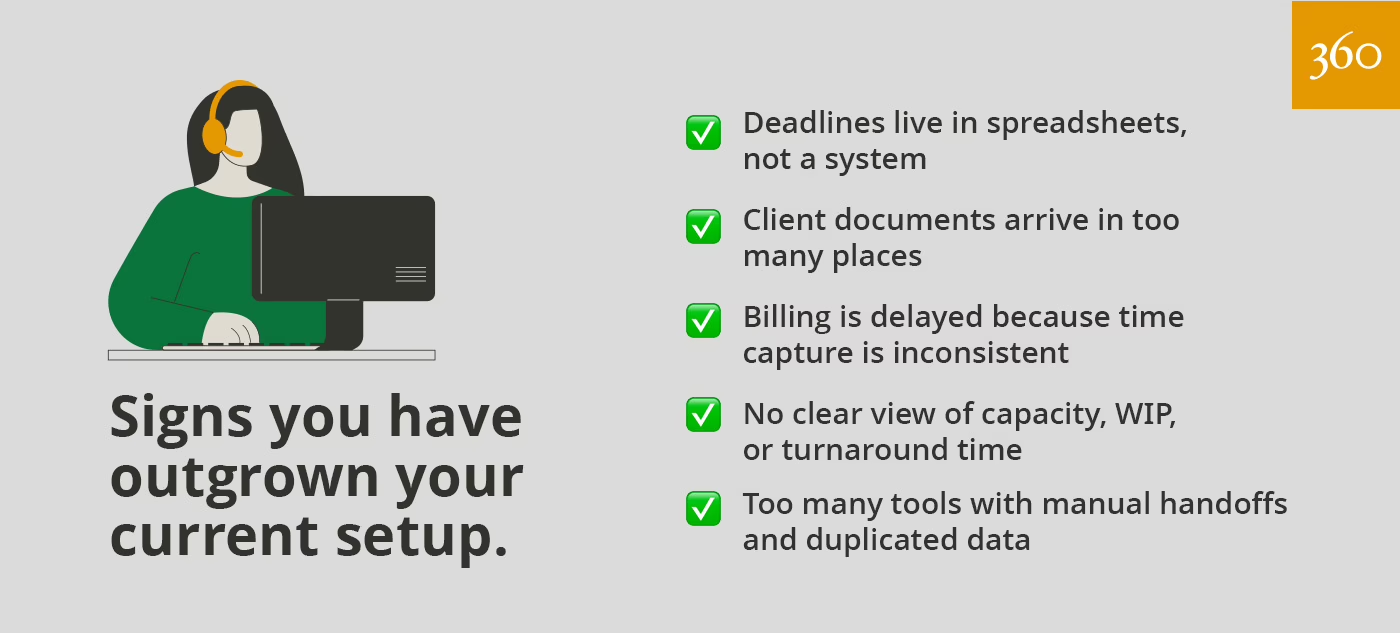
Here are the six capabilities small firms should evaluate in any platform — and why each one tends to matter more than it looks:
- Client relationship management and a secure client portal. A centralized repository for client contact details, engagement history, communication records, and billing information is table stakes. But the client portal goes further: it gives clients a branded, secure interface to share documents, review and sign engagement letters, and communicate with your team directly — without routing everything through notoriously insecure email. For small firms competing against larger practices, a polished client portal can be a meaningful differentiator.
- Workflow and task management. The ability to create, assign, and track tasks across every engagement — with recurring workflow templates for your most common services — is the operational core of any practice management platform. For small firms, workflow templates are particularly valuable: they standardize your process so that every staff member handles the same service the same way, every time. That consistency helps make growth manageable.
- Time tracking and billing. Accurate time capture tied directly to client engagements — with clean invoicing and integrated payment collection — removes the leakage that costs small firms real revenue. Even firms using value-based billing benefit from tracking time: that data tells you whether your pricing is right and which engagements are quietly eroding your margins.
- Document management and secure file sharing. A centralized, secure location for all client files — with version control, audit trails, and easy retrieval — replaces the fragmented reality of email attachments, shared drives, and USB transfers. Given the sensitive financial data you’re handling, this is also a compliance and security requirement, not just a convenience.
- Team communication and collaboration. A shared space for internal notes, task comments, and team-wide visibility into what’s in progress reduces the back-and-forth that consumes small firm staff during peak seasons. When everyone can see the status of an engagement without asking, the whole team moves faster.
- Reporting and business insights. Even basic reporting — who is working on what, what is overdue, and how close each engagement is to completion — gives small firm leaders visibility they simply cannot get from a spreadsheet. As firms grow toward the upper end of the small-firm range, reporting on realization, utilization, and profitability becomes a genuine management tool. Among the most valuable: the Client Realization Report, which provides a real-time breakdown of billed versus realized revenue — helping firm owners see exactly where work is being written down and why. (More on this in the 5–14 staff section below.)
When these capabilities are fully integrated in one system, the return is significant: fewer errors, less administrative friction, and a firmer foundation for growth. When they live in separate, disconnected tools, the coordination cost accumulates quietly until it becomes impossible to ignore. For a deeper look at how these features interact and what to look for in a full evaluation, see the Firm360 Buyer’s Guide to Accounting Practice Management Software.
Priorities by Firm Size
Each stage below presents a set of real, predictable challenges that tend to surface as firms grow. Use your current stage as a starting point, but keep an eye on what’s coming next.
Solo Practice: Get the Foundation Right
At this stage, the challenges are personal — in the most literal sense. You are the bottleneck. Client requests come in through text, email, and phone calls. Work lives in your head and in a folder structure only you fully understand. Deadlines are tracked in a calendar or a handwritten list. The risk here isn’t team confusion — it’s personal burnout and dropped balls.
What matters most right now isn’t finding the perfect software — it’s building habits you can actually scale. Keep a running client list with contact and engagement history, track your deadlines consistently in whatever tool you’ll actually use, and find a secure way to collect and store client documents. These don’t require a dedicated platform to do reasonably well with one or two people. Project management with spreadsheets, calendars and generic tools like Asana can work fine.
2–4 Staff: Prepare Your Processes — You’re Closer to the Threshold Than You Think
With two to four staff you can still get by with spreadsheets or a general-purpose tool — but this is the stage where the habits you build will either serve you well or come back to bite you. Project management is becoming more complex with additional staff, and the client volume is growing. The question isn’t whether you’ll need purpose-built software; it’s whether your processes will be ready when that moment arrives.
So what breaks first when the team grows? Gray will tell you: it’s communication.
“When a firm hits that 5-person headcount, communication — with clients and among staff — is often the first sign of growing pains.”
— Brandon Gray, Founder, Firm360
The good news is you’ve still got time to get ahead of it. Use this stage to get your communication workflows standardized before you hire that fifth person. Define how clients submit documents, how to manage team member handoffs, and how deadlines get tracked. When you do reach that threshold, you’ll be building on a solid foundation rather than scrambling to retrofit one.
Another valuable investment of time now is defining your most common recurring service as a repeatable process. A documented workflow for individual tax returns, for example, will surface how your process actually works versus how you think it works. When you do reach the five-person threshold and move to purpose-built software, that clarity will make setup faster and adoption easier.
5–14 Staff: Implement an Accounting Practice Management Platform
This is the stage where practice management software stops being optional. You now have enough staff that informal manual communication breaks down, enough clients that a dedicated administrator is carrying a substantive operational load, and enough revenue at stake that inefficiency has a material cost.
“In a small firm, you may be splitting a full-time staff member between client work and administrative work. But once you hire that fifth person, the volume gets to a point where you need a dedicated admin. To be effective, they need tools to manage workflow, keep team workload balanced, and monitor how well you’re meeting the timelines you promised your clients.”
— Brandon Gray, Founder, Firm360
This is the moment to select and commit to a dedicated accounting practice management platform — one that centralizes client work, task assignments, and deadlines in a single system your whole team operates from. (You’ll find more about that in the upcoming Selection Framework section of this article).
At this size, three capabilities move from optional to essential: project management, document management, and a client portal. Project management is the operational core that makes a dedicated platform worth having in the first place. Document management eliminates the friction that slows document-heavy workflows during tax season and beyond. And a client portal gives clients a branded, secure interface to share documents, sign engagement letters, and communicate with your team directly. With a dedicated admin now managing client relationships at scale, all three of these stop being conveniences and start being operational necessities.
One capability that isn’t strictly required at this stage but that many firms find valuable when they adopt it early: time tracking and billing. It gives your team a reliable record of effort against every engagement, which sharpens your pricing conversations and surfaces the clients and service lines that are quietly costing you more than they’re worth.
Getting the platform in place is step one — getting your team to use it consistently is the other half of the equation. That’s where many firms underestimate the lift.
There’s also a huge change management component to a successful adoption. Without everyone buying in, it’s going to be a big uphill struggle. You’ll need a champion to help staff understand why change is necessary.”
— Brandon Gray, Founder, Firm360
Once your foundational processes are in place — workflows tracked, workloads visible, timelines monitored — the next question worth asking is: is the work actually profitable? That’s where reporting starts earning its keep.
Operational reports provided by practice management tools give partners and administrators the visibility to make smarter decisions and have more grounded conversations about firm performance. The most actionable place to start is the Client Realization Report.
“The Client Realization Report — particularly as presented in Firm360 — is incredibly valuable. It’s the #1 report firms should be utilizing. It’s a real-time detailed breakdown of billed and realized revenue. With this information, firms can see whether they’re having to write down work, or whether the work is being done efficiently and profitably.”
— Brandon Gray, Founder, Firm360
Integrations become more important here too. At this size, connecting your practice management platform with your general ledger software and a client engagement tool delivers the most immediate operational payoff — and tends to be where firms feel the friction first when those connections are missing.
One more priority worth naming: implementation support. The generic tools that served you in the early days required little setup. Purpose-built accounting practice management software is a different commitment — and how well your vendor supports that transition matters as much as the features themselves. Look for a platform that offers structured onboarding, a clear implementation path, and real support after go-live.
Mid and Large Size Firms: Add Guardrails and Lean into Your Platform
Once you’re past 15 staff, the conversation shifts. You’re no longer standing up a system — you’re optimizing one. The priorities at this stage are deeper reporting, tighter controls, and making sure the guardrails in your platform match the complexity of how your firm actually operates.
For a fuller look at what that means in practice, check out our comprehensive practice management software guide.
A Simple Selection Framework for Small Firms
With a clearer picture of what your firm needs, you’re ready to start evaluating platforms. Here’s a six-step framework that’ll help you make a confident, low-regret decision:
- Map your top workflows and recurring work. Before you look at a single demo, write down the five workflows your firm runs most often. For each one, identify the steps, the handoffs, and the common failure points. This list becomes your evaluation lens for every platform you review.
- Define “must have” versus “nice to have.” Build two lists. Must-haves are capabilities without which the platform cannot serve your firm. Nice-to-haves add value but are not disqualifying if absent. A must-have list with 30 items is not a must-have list — it’s a wish list. Be specific and ruthless about the difference.
- Build your demo scorecard. Create a simple grid with your must-have features on one axis and the platforms you’re evaluating on the other. Score each feature consistently during every demo. This removes the natural bias toward whichever platform you happened to see most recently.
- Test with real client scenarios. Ask each vendor to walk through a workflow using your actual use cases, not their polished examples. How does the platform handle your most common service? What does the client experience look like through the portal? What happens when a deadline is missed or a task is reassigned?
- Confirm implementation support and your adoption plan. Ask specifically: What does onboarding look like? Who is the implementation contact? What training is included? What does support look like after go-live? A platform is only as valuable as your team’s ability to use it consistently.
- Think about where your firm is headed, not just where it is today. The platform that fits your firm perfectly at eight staff may hit a ceiling at 20. You don’t need to use every capability a platform offers from day one — in fact, overreaching early is one of the pitfalls covered in the next section. But choosing a platform with room to grow means you won’t face the disruption of migrating your data, retraining your team, and rebuilding your workflows a few years down the road just because you outgrew your software. Look for a platform that scales with you — one where the advanced features are there when you need them, without getting in the way while you’re building toward them.
Common Pitfalls to Avoid
Even firms that do their homework can stumble. These are the five mistakes that tend to show up most often:
- Choosing based on price alone. Per-user monthly pricing can look very different across platforms, but the lowest number rarely reflects the total cost of the decision. Factor in implementation time, training, and — most importantly — the ongoing cost of a tool your team does not actually adopt and use consistently.
- Overbuying features before workflows are defined. It is tempting to reach for the most fully featured platform available, especially with growth ambitions in mind. But if your internal workflows are not yet clearly defined, advanced features will go unused and may make adoption harder. Build the foundation first.
- Underestimating migration effort. Moving client data, historical documents, and open engagements from your current system into a new one takes real time and planning. Ask vendors specifically what data migration looks like, and build that timeline into your implementation schedule before you commit.
- Ignoring ease of use and adoption. A platform with every conceivable feature that your staff finds confusing will underperform a simpler tool they use well. Involve the people who will use the software daily — including firm administrators and managers — in the evaluation process from the start.
- Not having a partner champion the rollout. This one is easy to overlook, and it’s one of the most common reasons rollouts stall for small firms.
“One of the most common mistakes I’ve seen during rollout is neglecting to have a partner champion the new tool. In small firms it’s often a partner who decides to look into practice management software, but they quickly leave the admin to figure things out. In reality, they’re going to need input from multiple staff to get it right. — Brandon Gray, Founder, Firm360
Your Next Step
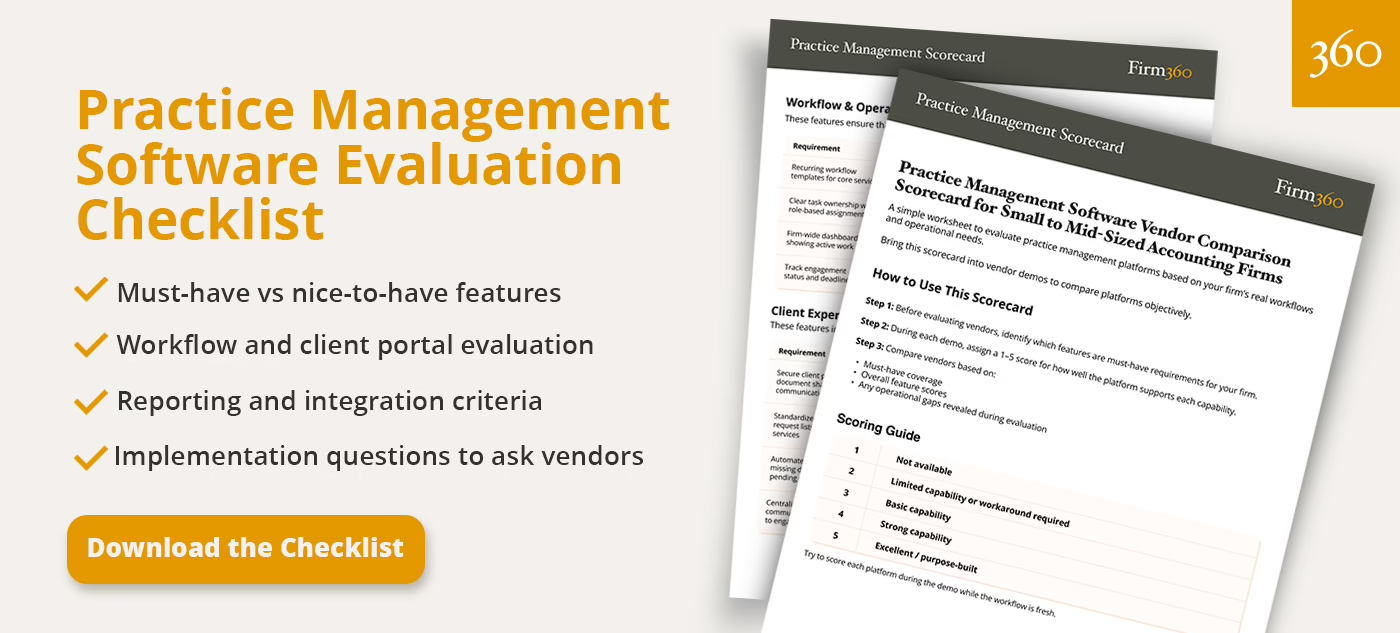
If this article has given you a clearer picture of where your firm stands, the next move is a practical one. Download our practice management software checklist and use it to guide your evaluation conversations. It captures must-have and nice-to-have criteria organized by firm size so you can walk into any demo with a consistent, confidence-building approach.
For a broader view of the category — including how different platforms compare across core features — the Firm360 comprehensive practice management software guide gives you the full picture.
Frequently Asked Questions
What is practice management software for accountants?
Practice management software for accountants is an integrated platform that centralizes the core operational workflows of an accounting or CPA firm — including client relationship management, task and deadline tracking, document handling, time capture, billing, team communication, and reporting. Unlike general project management tools, accounting-specific platforms are purpose-built around the recurring service structures, compliance requirements, and client communication patterns that define how accounting firms operate. For a full breakdown of the category, see our comprehensive guide.
Do small accounting firms really need practice management software?
Yes, particularly once you hit five or more team members. Many firms reach for practice management software after a painful missed deadline or a capacity crisis, but the firms that implement it proactively tend to grow more smoothly and with less operational stress. According to the BILL survey of nearly 1,200 accounting professionals, reported by CPA Practice Advisor, 89% of accounting professionals who use automation in their financial operations say it makes their firm more profitable and efficient.
What is the difference between practice management and project management software?
General project management tools like Asana or Monday.com are designed for broad applicability across industries and use cases. Accounting practice management software is purpose-built for the structures accounting firms rely on: recurring engagements, secure client portals, time and billing, document collection with audit trails, and deadline-driven workflows with built-in templates. The difference shows up in implementation time, feature depth, and the degree to which the platform reflects how accounting industry professionals actually work.
How much does practice management software cost for a small firm?
Pricing typically follows a per-user, per-month model and varies based on the platform and included features. As of our publication date, prices tend to range from $50 – $150 per user per month. The more useful question is total value: what is the measurable cost of the inefficiencies the software eliminates, weighed against the monthly investment? Firm360 pricing is transparent and structured by firm size.
What integrations matter most for small firms?
The integrations that matter most depend on what your firm already uses. For most small accounting firms, two integrations deliver the clearest early value: a general ledger platform such as QuickBooks, and a client engagement and proposals tool, such as Ignition. Deeper integrations with tax preparation software and other tools become more important as the firm grows. The Firm360 integrations page outlines available connections in detail.
How long does implementation take?
In short, it depends. Implementation timelines vary based on the platform, firm size, and the complexity of workflows being configured. One of the biggest determining factors, however, is not technical. It’s firm buy-in. The level of engagement during implementation and the firm’s commitment to change play a significant role in how quickly adoption takes hold. Firms that assign clear internal ownership, prioritize training, and ensure leadership actively supports the rollout tend to move much faster than those treating implementation as a background project. Vendor support also plays a critical role. The quality of onboarding guidance, training resources, and post launch support directly impacts how quickly a firm reaches full adoption. At Firm360, for example, the average implementation takes about 30 days, but that timeline is most consistently achieved when firms are actively engaged in the process.
Before committing, it is important to ask vendors about their implementation structure, training approach, and ongoing support.
What should we set up first to get quick wins?
A document request workflow is often the best place to start. Automatically prompting clients to upload what your team needs reduces manual follow-ups, saves staff time, and introduces clients to the portal in a way that feels practical rather than disruptive. The impact tends to be immediate and easy to measure.
Before you turn it on, make sure your whole team has aligned on what “complete” actually means for this workflow — whether that’s documents uploaded, reviewed, or confirmed as nothing missing — and what happens when a client submits only part of the request. Without that shared definition, automation can move a project forward in the system while your team still considers it open. When those expectations are clear, the handoff becomes clean: documents come in, the status updates, the assigned staff member gets notified, and the next step is obvious.
One more thing worth doing before you launch: give clients a heads up. A brief proactive message explaining what to expect — and answering the questions you know they’ll have — makes the transition feel smooth rather than abrupt.