Firm360 shipped a wave of new updates this summer — here are four worth knowing about. AI-powered access to your firm data on demand. Native e-signatures powered by Adobe Sign. Client-level realization visibility built directly into the client record. And a full two-way sync between Firm360 and QuickBooks Online.
If any of these have been on your wish list, here’s what’s live, what changed, and what it means for how your firm runs day to day. Here’s the thinking behind what we built.
Built on a Framework, Not a Feature List
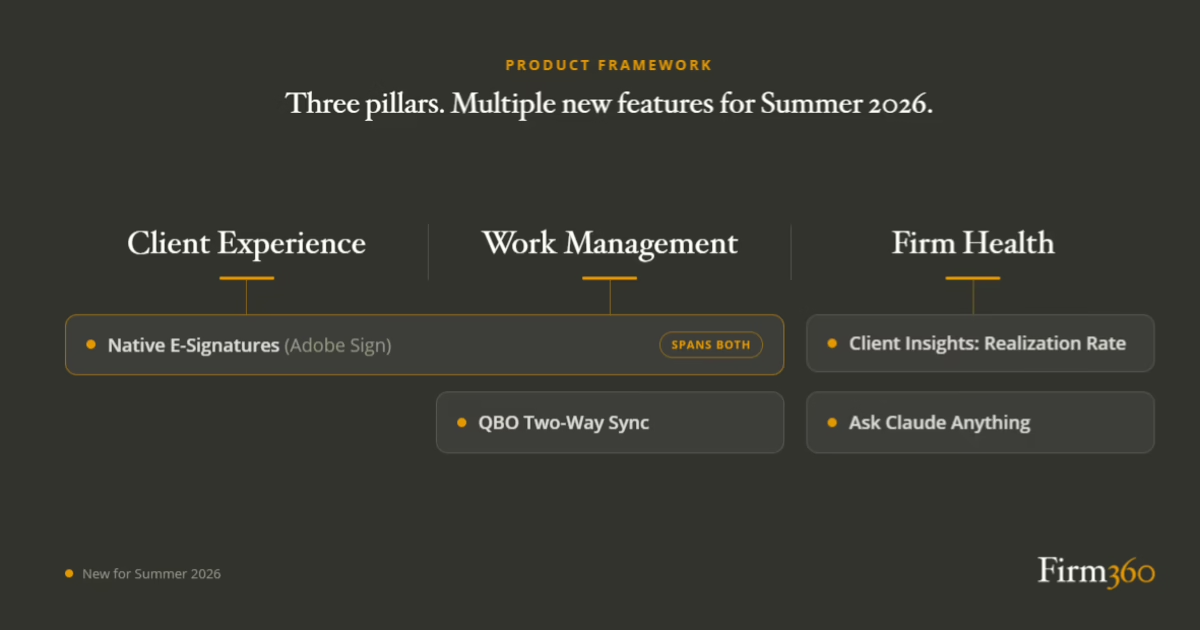
None of these started as a feature we rushed to bolt on. Each one earned its place against our Product Framework, which comes down to the three things every CPA firm has to manage well to thrive: the client experience they deliver, the work that has to get done, and the health of the firm itself — its profitability, its processes, its people. We treat those three as one system. Fix the client experience and the work usually gets easier; tighten up the work and firm health follows. So we judge a release less by what it does on its own than by how much it moves all three. Every update below ties back to one of those three pillars, and to one of the five guiding principles that govern how we build, which we’ll come back to at the end. That mapping is the test each had to pass before we shipped it.
Ask Claude Anything About Your Firm
Product Framework: Firm Health | Guiding Principle: Insightful
For most accounting firm partners, getting answers from their own firm data means opening a report, filtering by date, exporting to a spreadsheet, and cross-referencing against something else — just to answer a question that came up in a meeting. According to McKinsey Global Institute research, employees spend an average of 1.8 hours every day searching for and gathering information. In a firm where every hour has a billable equivalent, that overhead is expensive.
Firm360 now integrates directly with Claude, Anthropic’s AI assistant, through a Model Context Protocol (MCP) connection. The practical result: you can ask a plain-language question about your firm’s data and get a direct answer, without opening a report or exporting anything.
Setup takes less than five minutes inside Claude, and it’s available on the Premium plan. Role-based permissions from Firm360 carry over automatically, so staff only see data they’re authorized to access. There’s no separate configuration, no API key management, and no IT involvement required.
The AICPA and CPA.com’s 2025 AI in Accounting Report found that firms embracing AI-enabled solutions are not only creating new efficiencies, but redefining what is possible in practice. The Claude MCP integration is a concrete example of what that looks like at the firm level: any partner or manager gets current, accurate answers about firm performance on demand, without waiting for someone else to pull the numbers.
What can you actually ask? Here’s a sample of the questions your partners can get answers to in seconds, pulled directly from your live Firm360 data:
Realization & Profitability
- Which clients are most profitable by realization rate?
- Which clients have the biggest write-downs?
- How much are we discounting our work across the book of business?
- If I could only fix one thing in the business this month, what would have the biggest impact on revenue?
Collections & Invoicing
- Which clients have overdue invoices, and by how long?
- How much total AR is outstanding across all clients?
- Which clients are the biggest collection risks?
WIP & Billing Pipeline
- Which clients have the most unbilled work ready to invoice right now?
- How much revenue is sitting in WIP across the firm?
- Which clients should we prioritize billing this week?
This is what it looks like when your practice management software actually talks back. Watch a real Firm360 Claude Connector session below.
Native E-Signatures, Powered by Adobe Sign
Product Framework: Work Management + Client Experience | Guiding Principle: Cohesive
Signature collection is one of the most consistent friction points in the accounting firm workflow. Most firms today use a separate e-signature tool, which means a separate login, a separate notification stream, and a signed document that has to be manually retrieved and filed back into the engagement. Each handoff is a place where things stall.
The AICPA’s 2024 PCPS CPA Firm Top Issues Survey identified managing firm workflow and leveraging technology to improve client services among the top concerns across firm size categories. Client-facing friction like signature delays contributes directly to both.
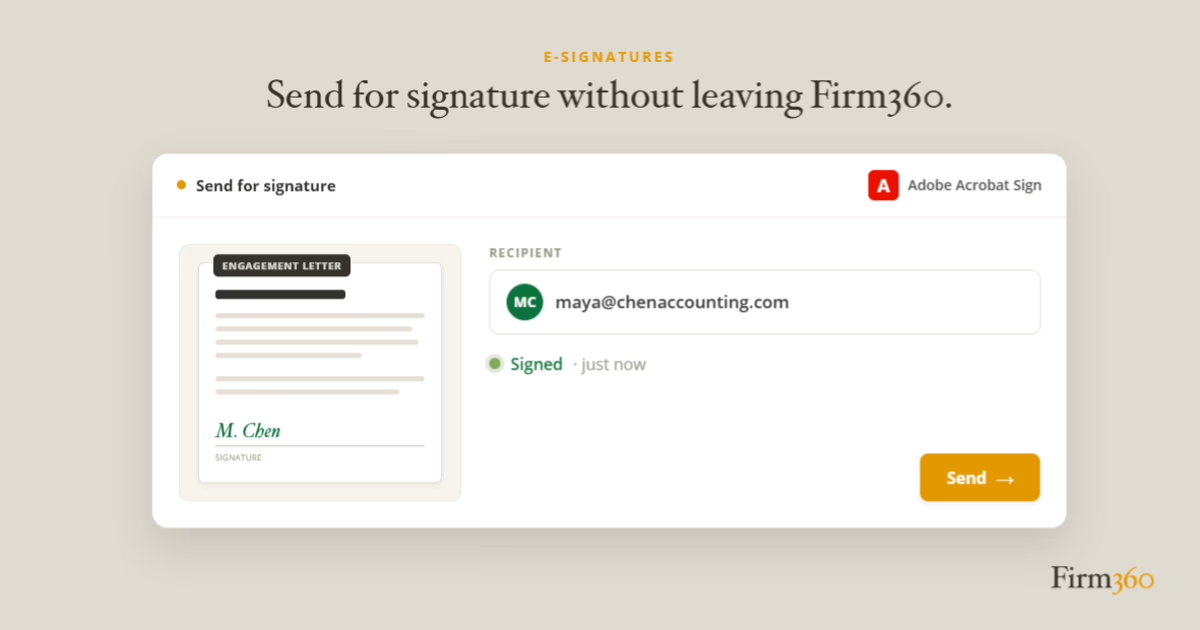
E-signatures are now native inside Firm360, powered by Adobe Sign. You can send for signature, track status, and collect the completed document without leaving your workflow. There is no separate subscription to manage and no additional login for your team. The legal standing and reliability of Adobe Sign is built in. If your current Firm360 plan already included e-signatures, Adobe Sign is included — no plan change required.
The workflow impact is straightforward. When a signature request lives outside your practice management system, clients miss notifications, forget logins, and delay responses. By keeping the process inside Firm360, requests are tied to the engagement, easier for your team to track, and simpler for clients to complete. Faster signatures mean faster engagement completion, faster invoicing, and cleaner cash flow for the firm.
Client Insights: See Realization Rate by Client
Product Framework: Firm Health | Guiding Principle: Insightful
Most accounting firm owners have a sense of which clients are their best relationships. Fewer can say with precision which ones are actually profitable — because that answer requires comparing time spent against time billed, across every client and service line, in a view that’s easy to act on. Without it, firms often find out they’ve been writing off revenue long after the window to fix it has closed.
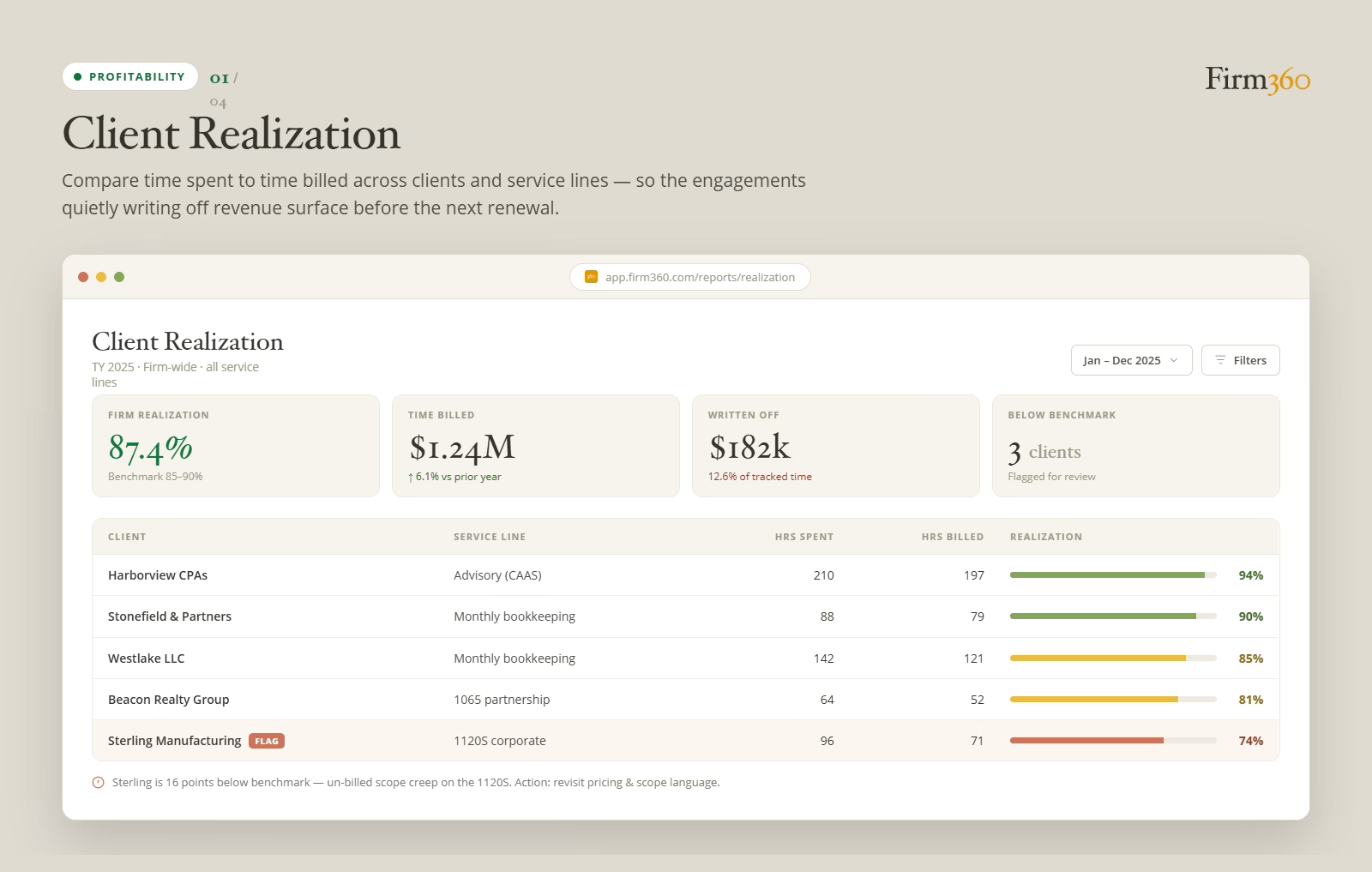
Firm360’s Client Realization Report surfaces that gap in real time. At the firm level, you can see your overall realization rate benchmarked against the industry standard range of 85-90%, total time billed, dollars written off, and which clients are flagged below benchmark — all in a single view, filtered to any date range.
Drill down to the client level and the picture gets more specific. For each client, you see hours spent versus hours billed, realization percentage, and whether that engagement is above or below your firm’s benchmark. Clients running below benchmark are automatically flagged for review, with a plain-language note explaining why — unbilled scope creep, pricing misalignment, or work that isn’t getting captured before the invoice goes out.
Here’s how the math works: Produced is hours worked multiplied by the billing rate for that service or staff member. Realized is what you actually billed, including fixed-fee items like extension filing fees, QBO hosting, postage, and mileage. The write-up or write-down is Realized minus Produced, shown as both a dollar amount and a percentage. For firms with cost tracking enabled, the report goes further and surfaces net realized revenue and net profit per client — so you’re looking at true margin, not just a realization percentage.
The value here goes beyond having better data. A flagged client with a recommended action changes the conversation from “I think we’re undercharging” to “Sterling Manufacturing is 16 points below benchmark — here’s why, and here’s what to do about it.” That’s the difference between a hunch and a decision.
QuickBooks Online, Now Fully Two-Way
Product Framework: Work Management | Guiding Principle: Cohesive
Most firms that run practice management software alongside QuickBooks Online have hit this at least once: a client calls about an invoice, you pull it up in your practice management software, and the payment status doesn’t match what’s in QBO. Or a payment gets recorded in one system and someone has to remember to update the other. It’s a small task, but it happens constantly, and the cost adds up fast in both time and errors.
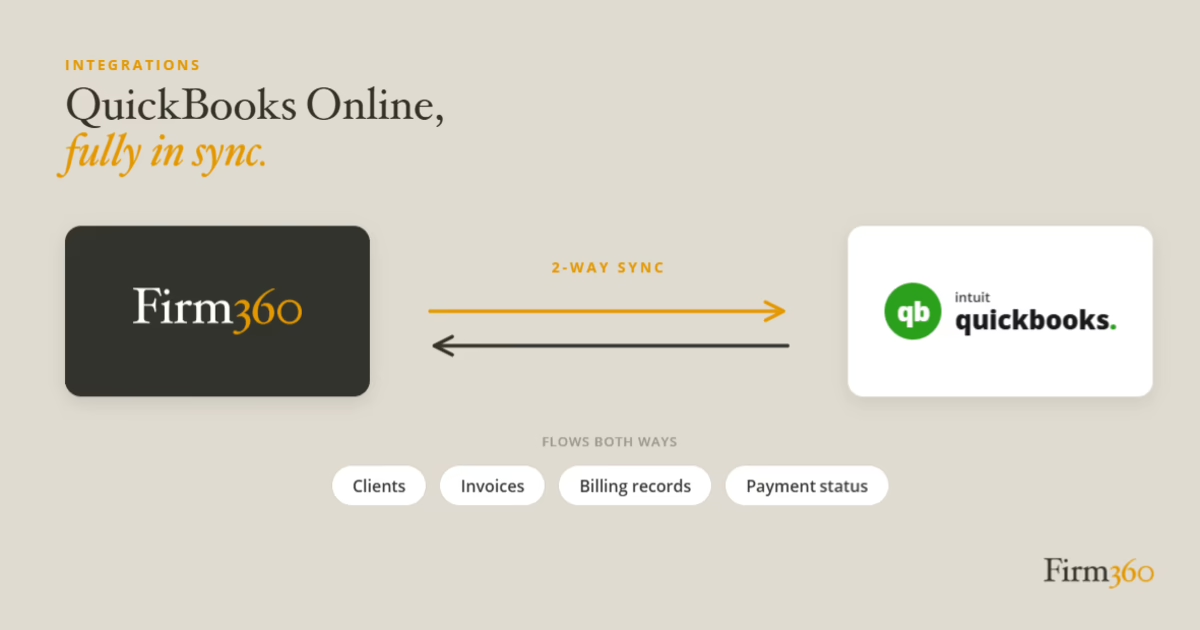
Firm360 and QuickBooks Online now sync bidirectionally. Record a payment in either system and both update automatically. Clients, invoices, billing records, and payment status flow both ways, with no re-keying and no drift between platforms.
For firms using QBO for their own books and Firm360 for practice management, this is the integration that makes the combined stack coherent. Your billing data is consistent wherever you look, which means realization reporting is accurate, AR aging is reliable, and the time your team currently spends reconciling the two systems goes back to billable work.
What This Adds Up To
Step back and these updates fit together. Client Insights and Ask Claude Anything both deepen Firm Health, turning data you already have into something you can act on. Native e-signatures and the two-way QuickBooks Online sync create cohesion within the stack, which helps Work Management and Client Experience at the same time. And because the three pillars feed each other, a gain in one shows up in the others: cleaner billing data sharpens realization reporting; faster signatures push engagements and cash through the firm quicker.
These updates also say something about how we build, which is the part that outlasts any single release. We hold ourselves to five guiding principles:
- Purpose-Built: Firm360 is made for accountants, by accountants, so we make product calls based on what actually helps a firm rather than on winning a feature war.
- User-Focused: We keep the simple simple and make the complex possible.
- Cohesive: We want all your tools to work as one, the thread running through half the updates above.
- Relentless: We ship every month, and each release has to earn it in depth, not just land on a changelog.
- Insightful: We treat your data as a strategic advantage, and put it where it can actually change a decision.
Underneath all five is the same target: the problems that hold firms back — too little visibility into how the firm is performing, too many tools that don’t talk to each other, and admin work that eats into billable time. Now and then two of the principles pull against each other. We think that tension is healthy, and we settle it the same way every time: in favor of the firms we serve.
If your firm is still held together by a stack of tools that don’t talk to each other, this is a good time to see what a purpose-built, cohesive platform feels like.
Most firms don’t know what they’re writing off until it’s too late to fix it. If that sounds familiar, it’s worth seeing what Firm360 looks like in practice. Click here to request a discovery call and demo.