This post was originally published in April 2023 and updated in October 2026 with a step-by-step audit framework and guidance from Diane Born of Varney & Associates.
Ask a room of firm leaders whether their workflows are working and many will say no. Ask which one to fix first and the room often goes quiet.
That gap is where a lot of firms get stuck. The problems are real — a return waiting on a signature, a billing step that runs on one person’s memory. But knowing something is wrong is not the same as knowing what to do about it. So firms tend to fix nothing, because everything looks equally broken and quiet weeks are scarce. Or they fix the loudest complaint, which is often not the costliest problem.
There is a step in between that often gets skipped: audit before you fix. An accounting workflow audit is a structured review of one process as it actually runs: who touches the work, where it moves between people or systems, how long each stage takes, and where it stalls or has to be redone. It’s the diagnostic step that comes before process improvements or redesign. And before you audit everything, decide which workflows have earned the audit.
The method below is a standard quality-improvement sequence, and none of it requires a certification or an outside consultant — a few steps, a few numbers, and a willingness to write down what the firm is actually doing.
Diane Born, office manager at Varney & Associates since 2004, runs her firm’s workflows through this kind of review every year, and her approach shapes the steps below.
Choosing Which Workflow to Audit
It’s human instinct to want to fix everything that isn’t working perfectly, but busy firms may not have the capacity to rebuild multiple processes at once. And for those that do, it’s also important to consider that too much change at one time for staff might not be beneficial. So, how do you prioritize?
Born starts with a report. “Where are the writeoffs coming from — where are staff going way overbudget?”
An engagement that runs over budget is a measurable signal, but it doesn’t explain why. The audit separates a process cause — a handoff, a rework loop, an undocumented exception — from a pricing or scoping one.
She pairs the numbers with the team’s own read, gathered while the season is fresh. “We like to do a survey after tax season. It can surface issues we didn’t know we had, and reveal changes that didn’t land as expected.”
Recent technology changes get particular attention, she notes: a tech change can force process changes.
Between the write-offs and the survey, a season usually turns up more than one candidate. But Born’s prioritization test is three questions, not just one.
“There are always enhancements to make to any workflow. When prioritizing, consider things like which ones are clearly broken, which are high revenue, and what team size is impacted?”
Those three sort the candidates by what a fix is worth. The other half of the decision is what it costs — some fixes are a week’s work and some are a quarter’s — and a firm with limited bandwidth has to sequence accordingly.
The consequence is that some workflows will not get fixed this year. Say so out loud, and the team will read it as a decision rather than an oversight.
How to Actually Audit a Workflow
“We put our workflows through Lean Six Sigma. When you start looking at workloads, you have to begin with really knowing what your process is. Be able to put down on paper what you have in place.” – Diane Born, Varney & Associates
Lean Six Sigma sounds like factory vocabulary, and that is where it started. In practice it asks two plain questions about any process: where is time being lost, and why does the same job go differently depending on who picks it up? Both are recognizable in a firm — the return sitting in a queue, and the engagement that takes one preparer far longer than another.
The audit itself is four steps.
- Write down how the work actually happens. Name one workflow with defined start and stop points. “Individual returns, from organizer sent to return delivered” can be audited. “Tax season” cannot. Put the process on paper as it runs, not as the procedures manual says it should, and ask the people doing the work rather than the people supervising it.
- Take a baseline before changing anything. Pick a few things to count — elapsed time by stage, rework rate, exceptions, escalations — and pull them from records rather than recollection. Born compresses this to one instruction: “Put a measurement point in, and track against it.”
- Map the handoffs. “Look at it from a flow chart perspective,” Born adds. “How many touchpoints are there and how can you streamline?”
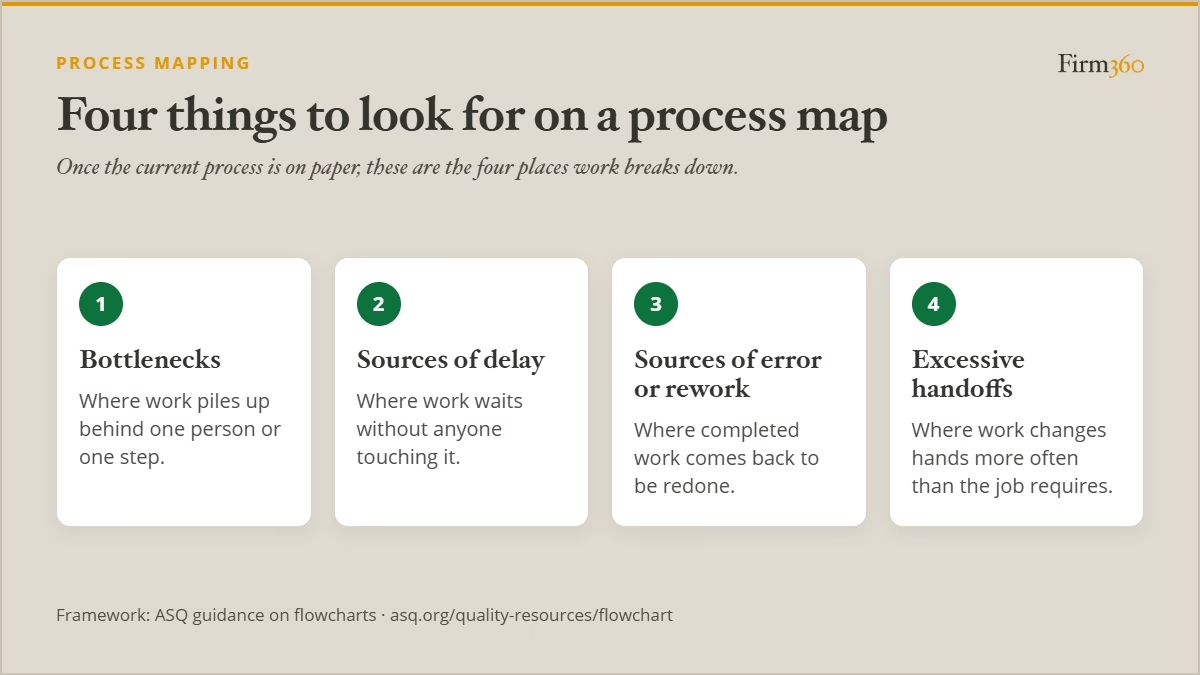
- Look for the constraints. Once the map exists, there are four things worth looking for, according to ASQ’s guidance on flowcharts: bottlenecks, sources of delay, sources of error or rework, and excessive handoffs.
What this looks like on a tax workflow
Take individual return preparation, from organizer sent to signed return archived, and pull elapsed time by stage across last season’s returns.
If preparation accounts for a few hours of work while the return takes weeks to clear the firm, the problem is not how fast anyone prepares. It is where the return sits between people, and training preparers will not shorten a queue.
In this example, the audit surfaces where. A return that waits after preparation until a reviewer notices it, then waits again after review until someone sends the signature request, has two handoffs with nothing triggering them. Fix those two handoff points — a status change that queues a finished return for review, and a signature request that fires when review completes — write both into the documented process, and ask preparers in May whether it helped.
What Comes After the Audit
After completing the audit, it should be clear whether the fix is standardization, automation, redesign, or some combination thereof.
Standardization. Where the audit found one task done several ways, the standard is what is missing, and documenting it comes before automating it. See also streamlining once the audit is done.
Automation. Where a standard exists and execution is manual, automation is the next question. In this article, we discuss the workflows worth automating and how to go about it.
Redesign the process. Sometimes the overall process itself is the problem, and better documentation will not help. Whatever fixes you implement, Born stresses the importance of documenting what’s been changed. This helps with adoption and impact measurement.
“If changes are made in the process, make sure to change your procedural documents to reflect the changes. We also make sure to get feedback from staff on any changes that are made. Be ready to adjust if necessary.” – Diane Born, Varney & Associates
Pitfalls to Avoid
Holding the line afterward can be the hardest part, and Born is direct about what undoes any of them. “It’s easy to continue to do what you’re doing with minor tweaks only, and to continue to allow people to step outside the workflow model. We tell staff if you step outside the process, you have to do it yourself — you cannot enlist the team.”
There’s a potential trap to watch out for during implementation: building a model to the exceptions. Document acceptable exceptions so they stop living in individual heads, but then design for the rule.
Measure the Effectiveness of Changes
Once changes have been in place for a while, it’s important to take stock. Measure against the baseline set at the beginning, and evaluate the impact of the changes — both intended and unintended. Born’s firm repeats this on an annual cycle, which makes the audit standing maintenance rather than a response to something going wrong. Staff feedback on each change is part of that cycle, not a courtesy after the fact.
A Practical Starting Point
- Pick the workflow your write-off and overbudget numbers point to.
- Put the process on paper as it actually runs, and interview the people running it.
- Set one or two measurement points and capture a baseline before changing anything.
- Map every point where the work changes hands — between people, between teams, between systems.
- Inspect the map for the four things ASQ names: bottlenecks, delays, rework and excessive handoffs.
- Implement the changes, document them, and set the next evaluation a year out.
On timing, Born is specific: run it “either after the initial tax season, or after the extension season, while pain points are still fresh,” which leaves room before the next season for training, change management, and software evaluation and implementation where necessary.
FAQs
What is an accounting workflow audit?
An accounting workflow audit is a structured review of how a single accounting process runs in practice — who touches the work, the handoffs between them, the time each stage takes, and where work stalls or gets redone. It produces a baseline and a list of constraints.
Which workflows should a firm audit first?
Start with the ones your numbers flag — engagements running over budget or generating write-offs. From there, Born weighs three things: whether the workflow is clearly broken, whether it touches high-revenue work, and how much of the team it affects.
How often should a CPA firm audit its workflows?
Firms should audit high-priority workflows annually.
When is the best time of year to audit workflows?
Right after a busy season, while the problems are still fresh. This allows time before the next season for redesign, improvements, training, and change management.
Can a firm audit its own workflows, or does it need outside help?
A firm can run its own. What the work calls for is not a consultant but the ability to document a process as it actually runs, count a few things against it, and act on what the map shows.
How long does a workflow audit take?
Two to three days for a single workflow, in Born’s experience. That covers putting the process on paper, interviewing the people who run it and capturing a baseline. Implementing the findings is separate work.
Conclusion
A workflow audit is a smaller undertaking than it sounds. One process, two or three days, a handful of numbers. Run after a season rather than in the middle of one, it’s maintenance rather than damage control.
That reframing is the point. Born’s view is that there are always enhancements to make to any workflow — which treats process work as routine upkeep rather than something a firm gets to only when something breaks badly enough to demand it.
When you get to execution, visit these resources for additional guidance: how to streamline the workflow you picked, and how to evaluate practice management software, if automation is where you land.
About the Expert
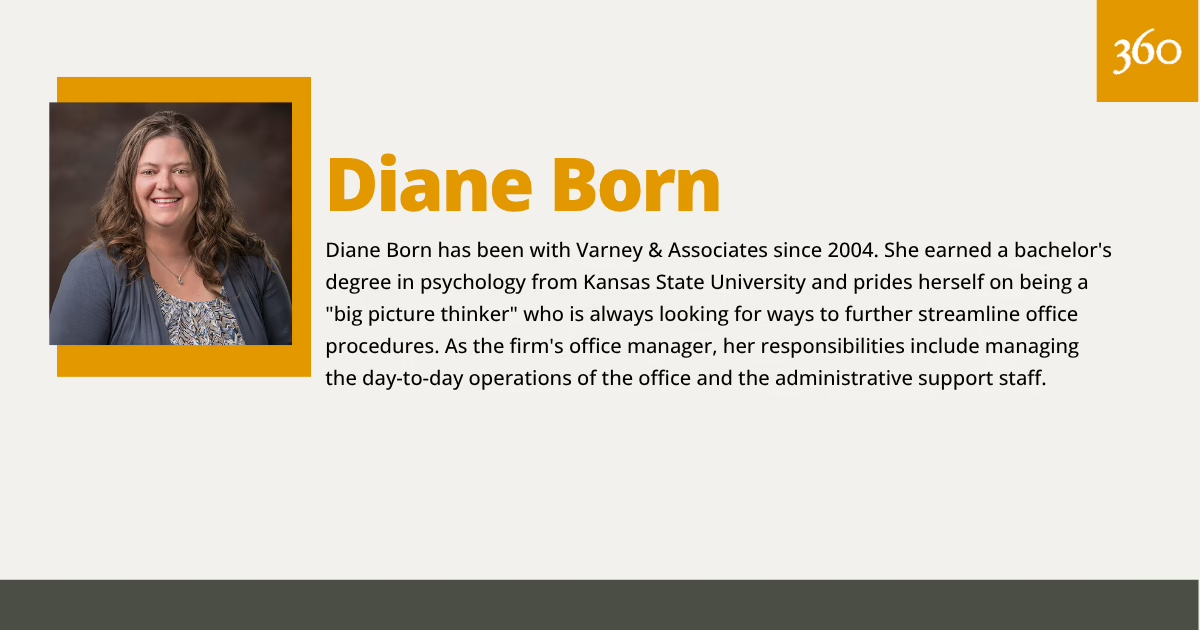
Diane Born has been with Varney & Associates since 2004. She earned a bachelor’s degree in psychology from Kansas State University and prides herself on being a “big picture thinker” who is always looking for ways to further streamline office procedures. As the firm’s office manager, her responsibilities include managing the day-to-day operations of the office and the administrative support staff.