Ask any preparer what eats up their February, and they’ll tell you: typing. Numbers off a W-2, into the tax software. Numbers off a 1099, into the tax software. A K-1 that arrives as four blurry phone photos, squinted at, then typed into the tax software.
Here’s the part that stings: those documents are already sitting in Firm360, collected, organized, and attached to the right client. Then prep happens somewhere else, by hand.
Introducing AutoPrep
At Firm360, we know that there are three things every firm has to get right to thrive: Client Experience, Work Management, and Firm Health. Tax prep runs through all three. Your clients feel it in the document chase and in how fast their return comes back. Your team feels it in the tracking, the handoffs, and the typing. And your firm feels it in the margins, because every hour spent keying in a W-2 is an hour that could be spent doing higher value work.
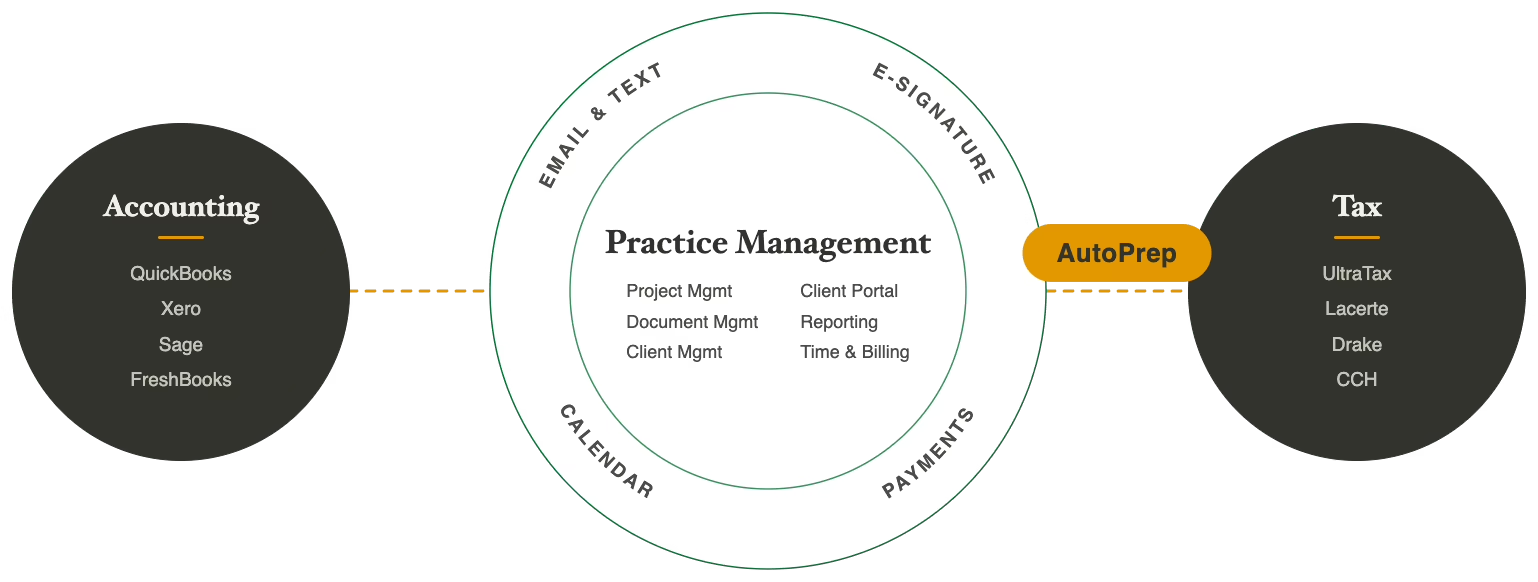
From the start, our north star has been cohesion: one system for your practice management, tax, and accounting work, and now we’re bringing that to the tax prep process. AutoPrep takes the tax documents your clients already uploaded to Firm360 and turns them into entered, verified data in your tax software, with no manual typing in between.
The payoff is staff hours. Hundreds of them every season, freed from manual data entry along with the errors that ride in with it, and given back to the client conversations that grow the firm.
How AutoPrep Works
One click in Firm360 sets it in motion. From there, Juno takes over: reading, verifying, and landing clean data in your tax software before anyone opens a blank input screen.
- Send documents from Firm360 in one action. Select documents in your Firm360 document section, one at a time or in bulk, and send them to Juno. Firm360 remains your source of truth.
- Juno reads what you send and extracts data across 100+ document types: W-2s, 1099s, K-1s, Schedules C and E, balance sheets, P&Ls, right down to the phone-camera photo a client sent at midnight.
- Juno flags what’s still missing. When a prior-year return is available, Juno builds a document checklist so your team knows what’s outstanding before the return goes out, not after the client calls asking why their brokerage income is missing.
- Verified data flows into your tax software. Juno builds a review-ready workpaper, flags source-to-return mismatches, and pushes the extracted data into Drake, Lacerte, ProConnect, CCH Axcess, UltraTax, and more. Your preparers start at review.
Why Juno
When we connect Firm360 to another tool, the depth of that connection is the whole point. So when we set out to take tax prep data entry off your team’s plate, the question wasn’t which engine was easiest to plug in. It was which one we’d trust with our own customers’ returns.
The answer was Juno. Its founder, Dave Haase, is a CPA who ran his own practice before he built the product, and it shows in everything the system does. We never had to explain the workflow to him. He’d lived it, just like our founder. Juno automates ~90% of that data entry, and what sold us is that it doesn’t stop at extraction. It checks its own output against the source documents and flags mismatches for your people to rule on. It also runs the return against the tax rules your preparers already have to follow, so a flag isn’t just a mismatched digit, it’s the kind of miss that would’ve turned into an amended return. Speed is easy to claim. Trust is what a tax practice actually runs on.
The other thing we checked: how Juno treats customers after the sale. Like us, they run US-based support focused on helping firms get real value from the product both for the firm and for its clients. The deepest integration in the world falls short if the two companies behind it don’t share that focus.
Firm360 has always been built by people who’ve done the work, and we hold our partners to the same bar. Two teams after the same thing: less busywork at the start of a return, more room for the judgment only your people can bring.
Who It’s For
Firm360 firms doing tax prep on Drake, Lacerte, ProConnect, CCH Axcess, UltraTax, and other major tax software. The firms that will feel it most are the ones running enough volume through Firm360 that moving documents by hand has become the most tedious part of the day. They’re the same client-focused firms we’ve always built for, where every staff hour has somewhere better to be. AutoPrep runs on top of your Firm360 Premium plan alongside an active Juno account.
How to Get Early Access
AutoPrep is coming soon. Firm360 firms can join Juno’s waitlist to be first in line, and we’ll share more here as it goes live.